
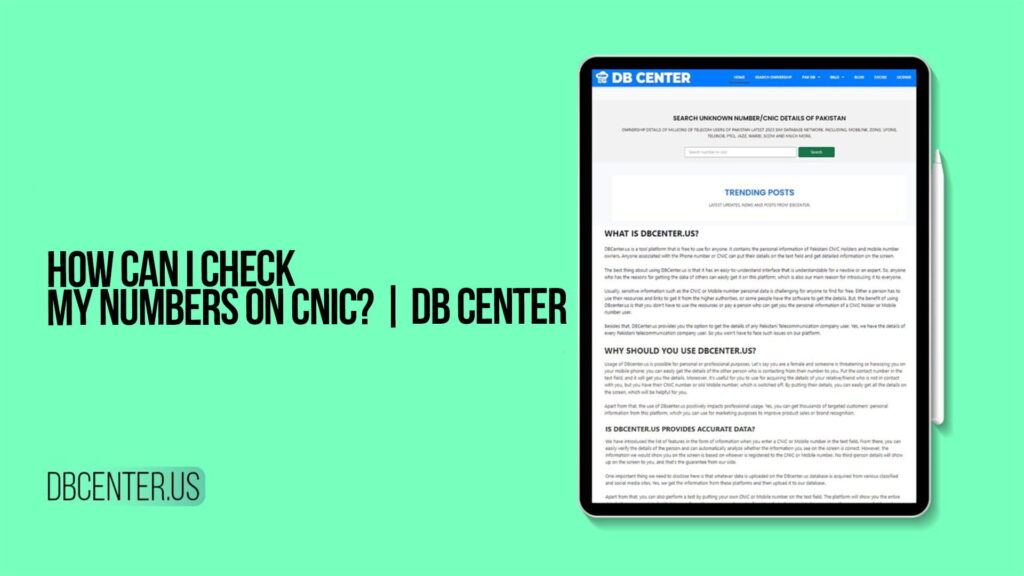
If you have ever asked yourself the question, “How can I check which mobile numbers are registered on my CNIC?” then you are not alone. This is one of the most commonly searched questions by people living in Pakistan today. With the country’s strict SIM registration policy requiring every mobile number to be biometrically linked to a valid CNIC, millions of Pakistanis want to know exactly how many SIM cards are running under their national identity — and more importantly, whether all of them actually belong to them.
The answer to this question is simpler than most people think, and it starts with one very powerful online tool: DB Center. This platform has been built specifically for people who want to check SIM ownership details, look up unknown numbers, and verify which mobile numbers are registered against any CNIC in Pakistan. Whether you are worried about identity theft, want to audit your own registrations, or simply need to confirm a number’s ownership, DB Center gives you all of that information in a matter of seconds — covering all major Pakistani telecom networks including Mobilink, Jazz, Zong, Ufone, Telenor, PTCL, Warid, SCOM, and more.
This article will explain everything you need to know about how to check your numbers on CNIC, why it is important, how DB Center works, and what you should do if you discover unauthorized SIM cards registered in your name.
Why Knowing Which Numbers Are on Your CNIC Matters
Before diving into the how, it is worth spending a moment on the why. Many people assume that because they have only ever bought one or two SIM cards in their lifetime, there is nothing else to check. Unfortunately, this assumption can leave you very vulnerable to a growing problem in Pakistan — SIM card fraud and identity misuse.
Pakistan’s telecom regulator, the PTA, made biometric SIM verification mandatory several years ago. Every SIM card sold in the country must be linked to a valid CNIC through fingerprint verification. This was a positive step for national security, but it also created an opening for a new type of crime. Fraudsters who manage to obtain your CNIC information can, in some cases, find ways to register SIM cards under your identity without your knowledge. These fraudulently registered numbers are then used for scams, harassment, financial fraud, and even crimes that can get traced back to you if you are not careful.
The consequences of having unauthorized SIM cards on your CNIC can range from minor inconveniences to serious legal complications. You might find that you have hit the PTA’s registration limit and cannot get a new SIM when you need one. You might be contacted by someone claiming that a number registered in your name was used in a crime. Your financial accounts could be compromised if someone uses a SIM registered in your name to receive OTP codes for your bank or other services.
Checking your CNIC regularly for registered numbers is one of the most straightforward ways to protect yourself from all of these risks. DB Center makes this check easy, fast, and accessible to everyone.
What Is DB Center?
DB Center is an online SIM ownership lookup platform designed specifically for users in Pakistan. It provides access to one of the most comprehensive and up-to-date telecom databases available, covering SIM ownership records from all major networks operating in the country. The platform allows users to search ownership details by entering either a CNIC number or a mobile number, and it returns the relevant registration information almost instantly.
What sets DB Center apart from other lookup tools is the sheer breadth of its coverage. The platform includes ownership records for numbers registered on Mobilink, Jazz, Zong, Ufone, Telenor, PTCL, Warid, SCOM, and additional networks. This means that regardless of which telecom operator issued the SIM you are looking up, DB Center will have the information you need. No other single platform currently offers this level of multi-network coverage for Pakistani telecom records.
The platform is also designed to be extremely user-friendly. You do not need to be a tech expert or have any specialized knowledge to use it. The search process is clean and direct — enter your query, click search, and get your results. This simplicity makes DB Center accessible to everyone, from young students to elderly citizens who may not be very comfortable with technology.
DB Center continuously updates its database to ensure that the records it holds reflect the latest SIM ownership information available. This commitment to data currency is critical because SIM registrations change frequently — people buy new SIMs, deactivate old ones, and transfer ownership regularly. An outdated database would be far less useful, and DB Center understands this.
Step-by-Step: How to Check Your Numbers on CNIC Using DB Center
The process of checking which mobile numbers are registered under your CNIC using DB Center is very straightforward. Here is a complete step-by-step guide that walks you through the entire process from start to finish.
Step 1: Open your preferred internet browser. You can do this on any device — a smartphone, tablet, laptop, or desktop computer. DB Center is a web-based platform, so there is no app to download or software to install. All you need is a working internet connection.
Step 2: Navigate to DB Center. Type the platform name into your browser’s address bar or search for it to find it quickly. Once the website loads, you will be greeted by a clean and easy-to-understand homepage that makes it immediately clear what the platform does.
Step 3: Locate the CNIC search option. DB Center offers two main types of lookups — one for searching by CNIC and another for searching by mobile number. To check which numbers are registered under your national identity, you will want to select or navigate to the CNIC search feature.
Step 4: Enter your CNIC number. Pakistani CNIC numbers are 13 digits long. Enter your full CNIC number into the search field. It is important to double-check that you have typed the number correctly, because even a single wrong digit will either return incorrect results or no results at all. Some versions of the search field may also accept the CNIC with dashes in the standard format.
Step 5: Initiate the search. Once you have entered your CNIC number, click the search button. DB Center will immediately begin querying its database for all SIM cards registered under that CNIC number.
Step 6: Review your results. Within a few seconds, the platform will display a list of all the mobile numbers that are currently registered under your CNIC. For each number, the results typically include the name associated with the registration, the telecom network, and the phone number itself. Review this list carefully and compare it against the SIM cards you know you have purchased.
Step 7: Take action if needed. If all the numbers displayed match SIM cards you actually own and use, then everything is fine. However, if you see numbers that you do not recognize, or more numbers than you know you have registered, you should take immediate action by reporting the discrepancy to the relevant telecom operator and to the PTA.
Understanding the Results: What the Information Means
When DB Center returns the results of your CNIC search, it is helpful to understand exactly what each piece of information means and how to interpret it correctly.
The list of numbers you see represents all the SIM cards that have been registered against your CNIC in the telecom databases. Each entry in the list corresponds to one SIM card. The name shown alongside each number should be your name, as it appears on your CNIC, because all SIM registrations in Pakistan must be done using verified identity information.
The telecom network shown for each number tells you which operator issued that SIM card. This is useful because it tells you which company you need to contact if you need to report an unauthorized registration or take any action regarding that number.
If the number of entries in your results is more than the number of SIM cards you are personally using, this is a red flag. It means that one or more SIM cards may have been registered under your CNIC by someone else without your permission. Do not ignore this. Even if the extra SIM cards seem to be inactive, they can still be activated and used for harmful purposes at any time.
If the results show zero entries for your CNIC, it is possible that the number you entered was incorrect. Try entering it again carefully. It is also possible, in rare cases, that your CNIC may not yet have any SIM registrations tied to it in the database, though this is uncommon for most adult Pakistanis who own at least one mobile phone.
What to Do If You Find Unauthorized Numbers on Your CNIC
Discovering that there are SIM cards registered under your CNIC that you never purchased is alarming, but the important thing is to stay calm and take clear, decisive steps to address the situation. Here is what you should do.
The first thing you should do is document what you have found. Take a screenshot of the DB Center results showing the unauthorized numbers. Note down the numbers themselves, the networks they are registered on, and any other identifying information displayed. This documentation will be important when you file reports with the relevant authorities.
The next step is to contact the telecom operators whose networks show the unauthorized numbers. Every major Pakistani telecom operator has a customer service helpline as well as an official complaints channel. When you contact them, explain that you have discovered SIM cards registered under your CNIC that you did not authorize and request that they be immediately deactivated and blocked. Most telecom operators have specific procedures for handling these kinds of reports and will guide you through the process.
At the same time, you should file a formal complaint with the PTA. The PTA has an official complaint management system where citizens can report unauthorized SIM registrations and other telecom-related violations. Filing a complaint with the PTA creates an official record of the issue and compels both the regulator and the telecom operators to act on your report.
If you believe that your CNIC details were stolen or misused as part of a broader identity theft scheme, you should also consider filing a report with your local police station or with FIA’s Cybercrime Reporting Center. Identity theft and unauthorized SIM registration are punishable offenses under Pakistani law, and having a police or FIA report strengthens your case if the issue escalates.
Finally, you should monitor your CNIC on DB Center periodically even after the unauthorized SIMs have been blocked, to make sure no new ones appear. Fraudsters sometimes try more than once, and staying vigilant is the best way to protect yourself over the long term.
How Many SIMs Can Be Registered on One CNIC in Pakistan?
This is one of the most frequently asked questions related to CNIC and SIM registration in Pakistan, and it is directly relevant to why checking your CNIC for registered numbers matters so much. According to the PTA’s official regulations, a maximum of five SIM cards can be registered under a single CNIC at any one time, across all telecom networks combined.
This means that if you have five SIM cards legitimately registered in your name and a fraudster manages to register even one more under your CNIC, you will have exceeded the legal limit. In such a scenario, you would be unable to register any new SIM cards under your identity, and you may face issues with your existing registrations as well.
DB Center helps you stay within this limit by giving you a real-time view of how many SIMs are currently on your CNIC. If the count is lower than five, you have room to add more legitimate registrations. If it is at five or higher and you know you have fewer than five SIMs yourself, you know immediately that there is a problem that needs to be addressed.
Understanding and monitoring this limit is a basic but important part of managing your telecom identity in Pakistan, and DB Center is the most convenient tool available for doing so.
Searching by Mobile Number: Finding the Owner of an Unknown Number
In addition to the CNIC-based lookup, DB Center also allows users to search for the owner of any mobile number. This is a separate but equally valuable feature that addresses a different but very common need among Pakistani users.
If you have been receiving calls or messages from an unknown number and want to know who it belongs to, you can enter that number into DB Center’s mobile number search. The platform will return the name of the registered owner, the CNIC under which the SIM is registered, and the telecom network that issued the SIM. This information is extremely useful for identifying unknown callers, verifying the identity of people you are dealing with online or in business, and detecting potential scammers or fraudsters.
This feature covers numbers from all major Pakistani networks, including Jazz, Mobilink, Zong, Telenor, Ufone, PTCL, Warid, and SCOM. So regardless of which network an unknown number belongs to, you can look it up on DB Center and get the ownership information you need.
The mobile number search on DB Center is just as fast and simple as the CNIC search. You enter the number, hit search, and the results appear in seconds. The clean display of results makes it easy to read and understand the ownership information without any confusion.
Networks Covered by DB Center: A Complete Overview
One of the biggest advantages of using DB Center over other lookup tools is the platform’s comprehensive network coverage. Here is a quick overview of all the networks whose SIM records are included in the DB Center database.
Jazz and Mobilink share the same underlying infrastructure, with Jazz being the consumer brand. Jazz is Pakistan’s largest mobile operator with the highest subscriber count in the country, making its coverage in DB Center particularly important for anyone performing SIM ownership lookups.
Zong, owned by China Mobile, is Pakistan’s second-largest telecom operator and one of the leading providers of 4G services. Its SIM records are fully included in DB Center’s database.
Telenor Pakistan is part of the international Telenor Group and has millions of subscribers across Pakistan. All Telenor SIM registrations are searchable through DB Center.
Ufone, which operates as part of the PTCL group, is a significant telecom operator particularly well-known for its coverage in rural Pakistan. Ufone number lookups are fully supported by DB Center.
PTCL provides both fixed-line and mobile services in Pakistan. As the country’s oldest and most established telecom company, PTCL’s records form an important part of the DB Center database.
Warid was merged into Jazz but continues to appear in SIM ownership records because many numbers that were originally registered on Warid are still active. DB Center maintains Warid records to ensure full historical lookup capability.
SCOM, the Special Communications Organization Mobile, provides telecom services in Azad Kashmir and Gilgit-Baltistan. Its inclusion in DB Center ensures that users from these regions can also perform SIM ownership lookups.
Tips for Staying Safe: Protecting Your CNIC from SIM Fraud
Knowing how to check your numbers on CNIC is only one part of protecting your identity. Here are some practical tips to help you prevent SIM fraud and keep your telecom identity secure.
Never share your CNIC number with anyone you do not fully trust. Your CNIC number is the key that connects your identity to your SIM registrations, and keeping it private is the first line of defense against misuse. Be especially careful when filling out forms online or at retail outlets that ask for your CNIC details.
Always report lost or stolen CNICs immediately to NADRA and to the police. A lost CNIC in the wrong hands can be used to register SIM cards under your name without your knowledge. The faster you report it, the faster NADRA can flag it and prevent unauthorized use.
Use DB Center regularly to monitor your CNIC for new SIM registrations. Make it a habit to check your CNIC on the platform every few months. This simple routine check can help you catch unauthorized registrations early and prevent them from causing serious problems.
If a telecom retailer ever tells you that SIMs are already registered under your CNIC or that your registration limit has been reached when you know it should not be, treat this as a red flag and investigate immediately using DB Center and the PTA’s official channels.
Keep your contact information with your telecom operator updated so that they can reach you quickly if there is any suspicious activity on accounts linked to your CNIC.
To check how many SIM cards are registered on your CNIC, visit DB Center and enter your 13-digit CNIC number in the search bar. The platform will instantly display all mobile numbers registered under your national identity across all telecom networks, including Jazz, Zong, Telenor, Ufone, PTCL, Warid, and SCOM, so you get a complete picture in one place.
According to PTA regulations, a maximum of five SIM cards can be registered under a single CNIC across all telecom networks in Pakistan. DB Center helps you monitor this limit by showing the exact number of SIMs currently linked to your CNIC, allowing you to immediately spot if the count exceeds what you personally own.
Yes, DB Center allows you to search by mobile number to find the registered owner’s name, their CNIC, and the telecom network that issued the SIM. This feature works for numbers from all major Pakistani networks and gives you reliable ownership information within seconds, making it easy to identify unknown callers or verify contacts.
If DB Center shows a number on your CNIC that you did not register, you should immediately contact the telecom operator that issued that SIM and report the unauthorized registration. You should also file a complaint with the PTA through their official complaint portal and, if necessary, report the matter to the FIA Cybercrime Reporting Center to prevent further misuse of your identity.
DB Center is designed for legitimate use cases such as personal CNIC monitoring, unknown number verification, and identity due diligence. Using it to protect your own identity or verify a business contact is both safe and legal. However, users must ensure they use any information obtained through the platform responsibly and in accordance with Pakistani law, particularly the Prevention of Electronic Crimes Act (PECA), which prohibits using such data for harassment or harmful purposes.
Final Thoughts
Checking which numbers are registered on your CNIC is not just a good idea — in today’s environment, it is a necessary habit for every mobile phone user in Pakistan. With SIM fraud and identity theft on the rise, having instant access to your SIM ownership records gives you the awareness and power to protect yourself and take action when something is wrong.
DB Center is the most comprehensive, fast, and user-friendly platform available in Pakistan for this purpose. It covers all major telecom networks, delivers results in seconds, and is accessible to every Pakistani with an internet connection. Whether you want to audit your own CNIC, look up an unknown caller, or verify someone’s identity for business purposes, DB Center has exactly what you need.
Make it a part of your regular routine to check your CNIC on DB Center, stay aware of the numbers registered in your name, and act quickly if anything looks out of place. In the digital world we live in, staying informed is the most powerful protection you have.