
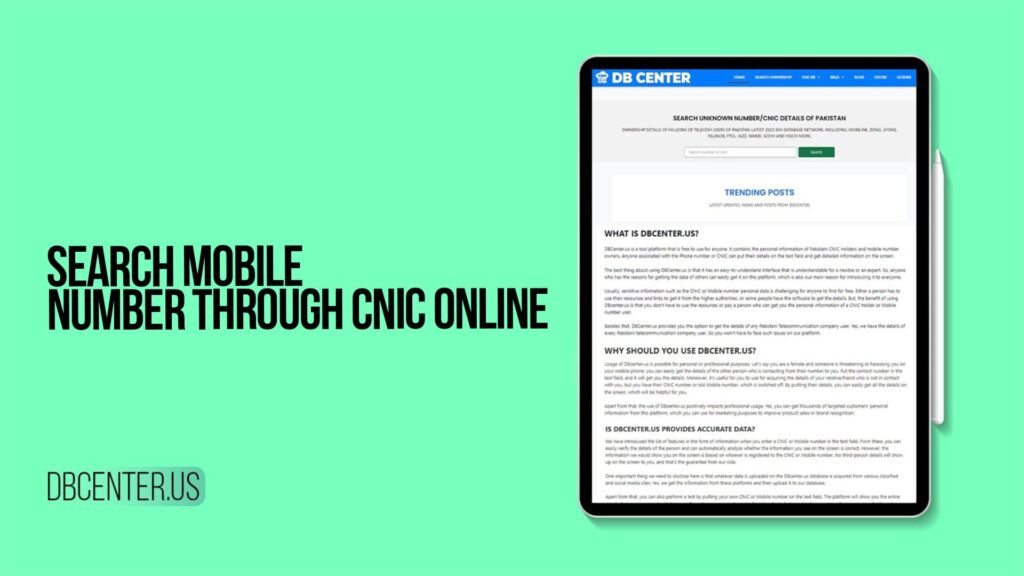
In our daily lives in Pakistan, receiving calls or messages from unknown mobile numbers has become a common occurrence. It could be an important call from a potential employer, a message from an old friend, or, unfortunately, a scam or harassment attempt. With over 191 million mobile phone subscribers in the country across networks like Jazz, Zong, Ufone, and Telenor, the sheer volume of numbers is immense. In such situations, the ability to identify the owner of an unknown number becomes incredibly valuable.
Traditionally, this was nearly impossible for the average person. However, with digitalization and the linking of Computerized National Identity Cards (CNIC) with mobile SIMs under PTA regulations, a new avenue for verification has opened. This comprehensive guide explores the concept and method of searching for mobile numbers through CNIC online, focusing on services like DB Center, a platform that provides access to the latest 2025 telecom database of Pakistan.
Understanding the Legal and Regulatory Framework in Pakistan
Before diving into the “how,” it is crucial to understand the “why” and the legal boundaries. The Pakistan Telecommunication Authority (PTA) made it mandatory for all mobile network operators (MNOs) to biometrically verify and link every active SIM card with the user’s CNIC. This landmark policy, known as the Biometric Verification System (BVS), was implemented to enhance security, curb illegal SIM usage, and create a verifiable digital footprint.
This nationwide linking created a structured, though highly secured, database. It is vital to state that there is no official, public-facing website run by the PTA or the government where you can simply type in a CNIC and get a list of associated mobile numbers for privacy reasons. Personal data is protected under law.
This is where authorized and ethical commercial data aggregation services operate. Platforms like DB Center function within legal frameworks, compiling data that is already available in the public domain or through legitimate channels, and presenting it in a user-friendly, searchable format for permissible purposes such as:
Verifying the identity of a business contact.
Identifying potential spam or fraud calls.
Recovering lost contact details of a known person.
Business verification and lead generation.
What is DB Center? An Overview
DB Center is a specialized online platform that provides access to the latest and most updated 2025 SIM database network of Pakistan. It aggregates data from millions of telecom users across all major and minor networks, including Mobilink (Jazz), Zong, Ufone, Telenor, PTCL, Warid (now merged with Jazz), SCOM, and others.
Think of it as a powerful search engine designed for Pakistan’s telecom data. It does not own the data but compiles it from various legitimate sources into a single, query-friendly interface. The platform is designed to be intuitive, requiring minimal information to start a search, and it delivers results in a clear, easy-to-understand format.
Key features of the DB Center platform include:
Massive Database: Access to millions of records updated for 2025.
Multi-Network Coverage: Searches across all Pakistani telecom operators.
Simple Interface: Designed for ease of use, even for non-technical users.
Quick Response: Delivers search results within seconds.
Data Points Provided: Typically includes the mobile number, the associated CNIC holder’s name (or the name registered with the SIM), the network provider (e.g., Zong, Jazz), and sometimes the registration region.
Step-by-Step Guide: How to Search Mobile Number Through CNIC Online Using DB Center
Using a service like DB Center is a straightforward process. Here is a simple, step-by-step breakdown:
Step 1: Access the Platform
Open your preferred web browser on your mobile phone, tablet, or computer. Navigate to the official DB Center website.
Step 2: Understand the Search Options
On the main page, you will typically find different search fields. The most common and effective method is the “CNIC to Number Search.” This allows you to input a CNIC number to find mobile numbers registered against it. Conversely, there is also often a “Number to Details Search” where you can input an unknown mobile number to find the CNIC and name of the owner.
Step 3: Enter the CNIC Number
For a CNIC-based search, carefully enter the 13-digit CNIC number (without dashes) into the provided search box. Double-check for accuracy to ensure the best results.
Step 4: Initiate the Search
Click on the “Search,” “Submit,” or “Find” button. The platform will now process your query and scan its extensive 2025 database for any matches.
Step 5: Review the Results
Within moments, the results page will load. If the CNIC is found in the database, you will see a list of mobile numbers that are registered to that specific CNIC. The information displayed usually includes:
The mobile number(s)
The registered owner’s name (as per NADRA records)
The telecom network provider (e.g., Ufone, Telenor)
Possible registration details or status.
Step 6: Utilize the Information Responsibly
Use the information you have obtained ethically. The purpose is verification and identification, not for harassment, spam, or illegal activities.
Important Considerations and Ethical Use of the Service
The power to access personal information comes with significant responsibility. When using any CNIC or mobile number search service, always keep these points in mind:
Purpose Limitation: Only use the service for legitimate, ethical, and legal reasons. This includes personal safety verification, reconnecting with lost contacts, or business verification.
Privacy Respect: The data you access is personal. Do not misuse, publicly share, or exploit it to harm, threaten, or defame an individual.
Accuracy of Data: While platforms like DB Center strive for the latest 2025 data, there can be delays or errors. A SIM purchased recently might not immediately appear, or an old, disconnected number might still show up.
Service Limitations: Not every single number in Pakistan will be in the database. Some numbers, particularly those used for specific security or government purposes, are not publicly accessible.
Legal Compliance: Using obtained information for blackmail, stalking, or fraud is a serious criminal offense under Pakistani law.
Why Might You Need to Perform Such a Search?
Understanding the practical applications helps in using the tool correctly:
Identifying Scam Calls: To verify if a persistent unknown caller is a legitimate business or a potential scammer.
Business and Rental Verifications: Before entering into an agreement, you can verify the identity of a potential client, tenant, or business partner.
Reconnecting Lost Contacts: If you have lost a person’s number but remember their CNIC (from an old document, for instance), you can potentially recover their current contact.
Parental Control: Parents can check which numbers are registered under their CNIC to ensure no unauthorized SIMs are active in their name.
Personal Security: To identify who is behind a harassing or threatening number.
Yes, using authorized commercial database services like DB Center for legitimate personal or business verification purposes is legal. These platforms operate on publicly available or legally aggregated data. However, using the information obtained for illegal activities is strictly prohibited.
DB Center prides itself on maintaining a latest 2025 SIM database network. It is regularly updated to include new SIM registrations and deactivations from networks like Jazz, Zong, and Ufone. While it aims for high accuracy, users should note that there can be a slight delay in real-time updates, and absolute, 100% real-time accuracy cannot be guaranteed by any non-governmental platform.
No. Services like DB Center provide registration details (like the city or region where the SIM was registered) but do not provide real-time, live location tracking or GPS data of a mobile phone. Live location tracking is illegal without a court order and is not offered by ethical data service providers.
You can start a search with just one key piece of information. For a CNIC search, you need the 13-digit CNIC number. For a reverse phone lookup, you need the 11-digit mobile number (e.g., 03XX-XXXXXXX).
This indicates a serious issue of illegal SIM registration. You should immediately contact your mobile network operator’s customer service and file a complaint. You can also report the issue to the PTA via their complaint portal. It is crucial to get such SIMs blocked to protect yourself from potential legal or financial complications.
Conclusion
In an increasingly connected Pakistan, the ability to verify and identify unknown numbers through CNIC online is a powerful tool for safety, security, and convenience. Platforms like DB Center serve as a bridge between the vast, regulated telecom database and the public’s legitimate need for verification, all presented through a simple, accessible online interface.
The key is to always use this capability with ethics and responsibility. By following the simple steps outlined in this guide and adhering to the principles of lawful purpose, you can navigate the digital world with more confidence, reconnect with important contacts, and protect yourself from potential threats. Remember, technology is a tool, and its value is determined by the wisdom with which we use it.